Why Your Website's Speed Is a Ranking Signal, Not Just a Nicety
Most small-business owners spend real money on their website's look — the logo, the colors, the copy. Far fewer pay attention to how fast the site actually loads. That's a mistake, because Google has made page performance a formal part of how it ranks pages in search results.
The name for this set of performance measurements is Core Web Vitals. They are not a marketing concept or a passing trend. They are real, documented signals that Google's algorithm uses when deciding which pages to surface at the top of a search result — and which ones to push down.
Understanding them does not require a computer science degree. It requires about ten minutes of honest reading, which is exactly what this is.
What Core Web Vitals Actually Measure
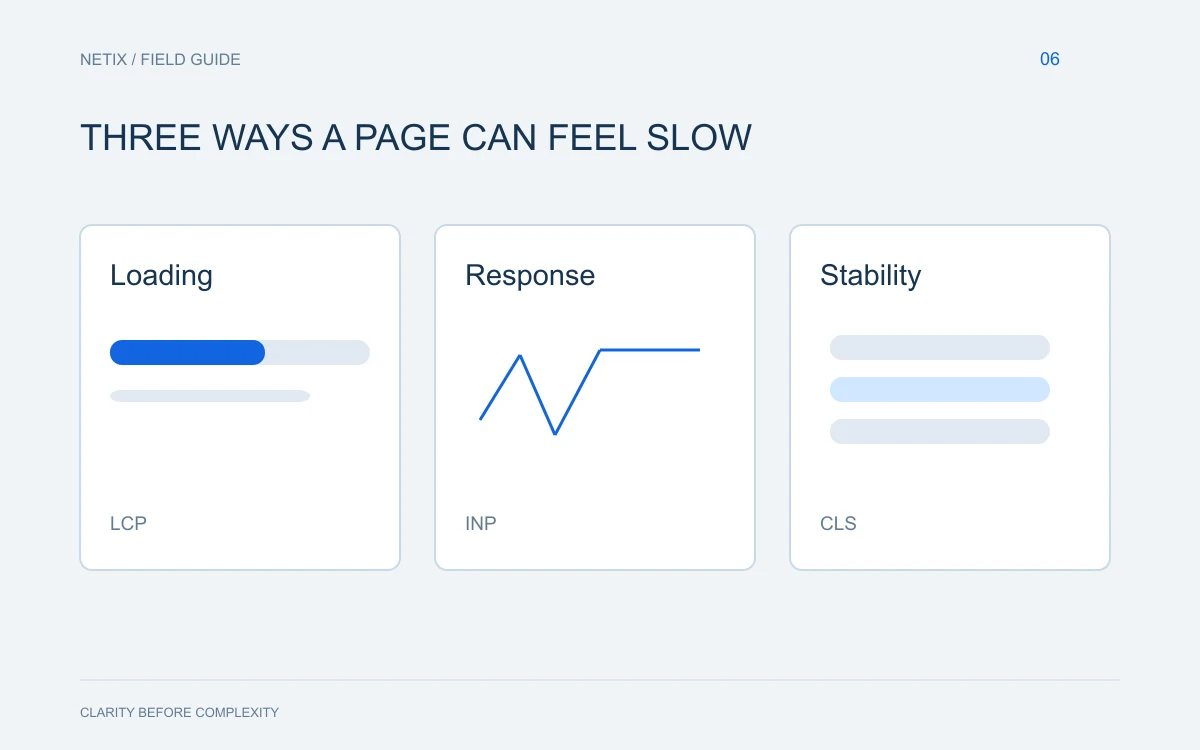
Google groups its performance signals into three main metrics. Each one measures a different dimension of the experience a visitor has when they land on your page.
Largest Contentful Paint (LCP)
This measures how long it takes for the main content of a page — usually a large image or a block of text — to become visible on screen. If a visitor clicks your link in Google and stares at a blank or mostly blank page for several seconds before anything meaningful appears, your LCP score is poor. Google wants this to happen in roughly two and a half seconds or less.
Interaction to Next Paint (INP)
This replaced the older First Input Delay metric and measures how quickly your page responds when a visitor does something — clicks a button, opens a menu, submits a form. A sluggish response here signals to both Google and the visitor that something is wrong under the hood.
Cumulative Layout Shift (CLS)
This one is about visual stability. Have you ever started reading a page and had the text suddenly jump down because an image or ad loaded late and pushed everything around? That is a layout shift. It is annoying to visitors and it signals to Google that your page is not well-built. A low CLS score means your page holds its shape as it loads.
What Happens When These Scores Are Poor
Beyond the ranking penalty, the practical consequences are straightforward. Visitors leave. Studies consistently show that a meaningful portion of people abandon a page that takes more than a few seconds to load. In competitive local markets — where a restaurant, law firm, or home-services company may be fighting for the same search terms against dozens of similar businesses — a slow site can be the entire reason a competitor outranks you.
You may have better reviews. You may have more content. You may have been in business longer. But if their site loads cleanly and yours does not, you are handing them an advantage you could take back.
Common Causes of Poor Core Web Vitals
Most performance problems share a short list of culprits. If your site is slow, one or more of these is almost certainly why:
- Unoptimized images. Large image files are the single most common cause of slow LCP scores. Images should be compressed and served in modern formats.
- Cheap or shared hosting. The server your website lives on matters. Underpowered hosting means slower response times regardless of how well-coded the site is.
- Too many third-party scripts. Every chat widget, analytics tool, social feed, and ad pixel you add to a page makes it heavier. Many of these load before your actual content does.
- No caching. Without proper caching, every visitor forces the server to rebuild the page from scratch. With caching, returning visitors and even first-time visitors get a faster experience.
- Poorly coded themes or plugins. Pre-built website themes, especially on platforms like WordPress, are often bloated with code that handles features you are not even using.
How to Check Where You Stand Right Now
Google provides a free tool called PageSpeed Insights. You enter your URL and it gives you scores for both mobile and desktop, along with a plain-English list of what is slowing the page down. It is imperfect but it is a practical starting point.
Another useful free tool is Google Search Console, which has a Core Web Vitals report showing how your pages are actually performing for real visitors over time — not just in a lab test.
Look at your mobile score carefully. Google primarily uses the mobile version of your site to determine rankings, even for visitors on desktop computers. If your mobile score is poor, that is the most urgent problem to fix.
A Practical Order of Priorities
If you discover your site has performance problems, work through them in this sequence:
- Fix your images first. Compress them, resize them to the dimensions they are actually displayed at, and convert them to WebP format where possible.
- Evaluate your hosting. If you are on a basic shared plan, upgrading to a managed or VPS hosting environment often produces an immediate, noticeable improvement.
- Audit your plugins and third-party scripts. Remove anything you do not actively use and benefit from.
- Enable caching. Most web platforms support this either natively or through a plugin.
- Consider whether your current theme or site framework is the right long-term foundation.
The core takeaway: a fast, stable, responsive website is no longer a technical bonus — it is a baseline requirement for competing in search results and keeping visitors engaged once they arrive.
What This Means for Your Business
Core Web Vitals are one of the cleaner examples of Google's interests and your visitors' interests lining up. A site that loads quickly, responds to interaction, and holds its layout steady is simply a better experience. Google rewards that because its own reputation depends on sending people to pages that work well.
The good news is that these problems are fixable. They are not mysterious. They require either the right technical knowledge or a development partner who already has it.
If you are unsure where your site stands or what it would take to bring it up to a competitive standard, the team at Netix Solutions is happy to take a look. A conversation costs nothing, and knowing where you stand is always the right first step.